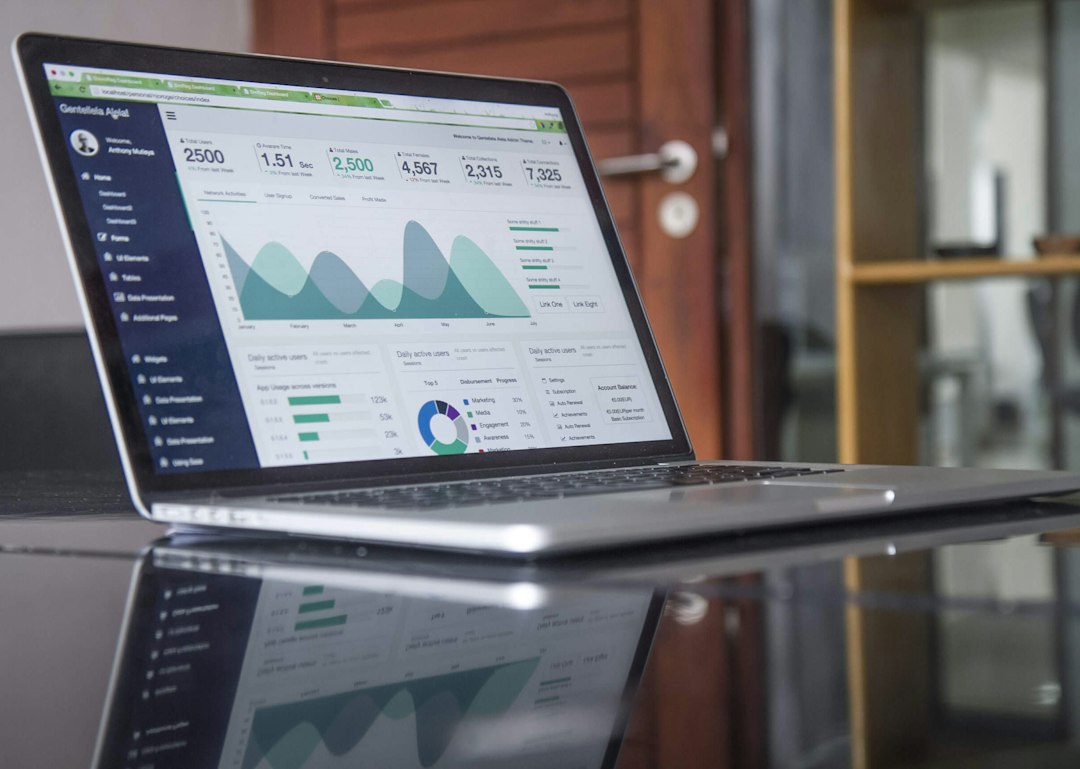
You just got back from a weekend trip and your PM software already sent the checkout reminder, triggered the cleaning rotation, updated the calendar, and messaged the next guest. It handled everything. Zero intervention from you.
That is great for operations. For taxes, it is a trap waiting to spring.
TL;DR: Property management software automates tasks. It does not log your hours. To qualify for the STR loophole under Treas. Reg. §1.469-1T(e)(3)(ii)(A), you still need a contemporaneous record proving your personal participation exceeds 100 hours AND beats everyone else's hours (cleaners, co-hosts, virtual assistants, the PM vendor). The software's activity report is not that record. You need to build one separately.
Jennifer Beadles is a real estate investor and short-term rental owner who uses the STR loophole on her own properties. She writes from hands-on operating experience plus current IRS guidance (IRC §469 and Treas. Reg. §1.469-1T(e)(3)(ii)(A)).
Why Software Automation Creates a Documentation Problem
Here is the core tension. The STR loophole works because a rental with an average guest stay of 7 days or less is not treated as a "rental activity" under Treas. Reg. §1.469-1T(e)(3)(ii)(A). That means the activity is treated as a trade or business. If you materially participate, the losses become non-passive. They offset your W-2 income dollar for dollar. No real estate professional status needed, and no 750-hour requirement.
But "materially participates" has a precise legal definition. Under Treas. Reg. §1.469-5T, you prove it by showing your personal hours. The most common path is Test 3: you participated more than 100 hours AND more than anyone else connected to the property, including your cleaner, your co-host, and your property manager.
Now add an automated PM platform. The software is generating guest messages, scheduling cleaners, sending payment reminders, and updating your listing calendar. Whose hours do those represent? The software vendor's, not yours. If you are audited and you hand the IRS your PM platform's activity log, the IRS sees a system doing work. It does not see you doing work.
This distinction is the entire game.
What "Contemporaneous" Actually Means Under IRS Rules
Treas. Reg. §1.469-5T(f)(4) requires that participation be proven by "any reasonable means," but Tax Court has made clear over many cases what fails. In Almquist v. Commissioner, reconstructed logs made after the fact lost. In Penley v. Commissioner, rounded hours with no start or end times lost. In Moss v. Commissioner, time the owner claimed to be "on call" did not count.
A contemporaneous log means you recorded it close to when it happened: the date, the specific task, the time you started, and the time you stopped. That is it. Nothing exotic. But the key word is you. Your log must capture your hours, not the software's.
You can find a full breakdown of what a bulletproof log looks like in STR loophole documentation best practices. What this article focuses on is the specific problem of automation: knowing which actions still require your time even when software handles execution.
How to Separate Your Hours From the Software's Hours
Think of it this way. Every automated action in your PM platform started with a decision you made at some point. The question is whether you can document the decision-making and oversight time as a distinct personal-time entry.
Here is a practical breakdown:
Tasks that generate YOUR hours:
- Reviewing pricing reports and manually adjusting rates or minimum nights
- Auditing automated messages for accuracy, editing templates, or approving new copy
- Responding to guest questions that fall outside your automated response flows
- Reviewing cleaning schedules and handling exceptions (callbacks, complaints, re-cleans)
- Coordinating maintenance: getting quotes, approving work, following up
- Updating your listing descriptions, photos, or house rules
- Reviewing performance dashboards and making strategy decisions
- Onboarding and managing your cleaners, VA, or co-host
Tasks that do NOT generate your hours:
- Automated guest messages sending on their own after you built the template
- Software-triggered cleaning notifications
- Calendar syncs the system handles in the background
- Automated review requests
- Any action the platform takes without you touching it
The test is simple: did you personally spend time on it? If you only interacted with the system for 10 minutes to build an automation that now runs for three months, you get 10 minutes. Not three months.
How the STR Loophole App Syncs With Your PM Software
The STR Loophole app connects directly with Hospitable and Lodgify, with more integrations coming soon. When a guest message comes in through one of these platforms, the app automatically logs a time entry for it.
By default, we add 5 minutes per guest message. Here is why: almost every message thread involves a back-and-forth exchange. You read the message, think about it, type a reply, and check it before sending. Five minutes is a reasonable floor for that.
But here is the honest part. That default is a starting point, not a fact. Some messages take 30 seconds to skim and dismiss. Others take 20 minutes when a guest has a real problem. The auto-log saves you time and creates an evidence trail, which is genuinely useful. It should not be the only thing you rely on for exact timing.
Our recommendation: go into the STR Loophole app and adjust each auto-logged entry to reflect the actual time you spent. If you reviewed a message and it took 2 minutes, change it to 2 minutes. If you had a long back-and-forth with a guest about a late checkout request and it took 18 minutes, log 18 minutes. The auto-log gives you a record to edit, not a record to file as-is.
This matters for two reasons. First, accuracy protects you in an audit. A log full of identical 5-minute entries for every single message can look like a system generated it, not a person. Second, it is just honest. The IRS standard is your actual time. The default is a convenience, not a substitute for tracking what really happened.
So use the Hospitable or Lodgify sync. It is faster than logging from scratch and it catches messages you might forget. Then review and adjust the entries to match reality.
A Worked Example: Showing the Math on Hour Allocation
Say you own a single STR and use a property management platform that handles guest messaging, cleaning dispatch, and calendar management. Here is how a typical week might actually break down.
Assumptions:
- You spend 20 minutes on Monday reviewing the weekend's guest messages and performance reports.
- Tuesday you spend 30 minutes adjusting pricing for an upcoming holiday weekend.
- Thursday you field a guest issue the automated responses could not resolve: 25 minutes.
- Friday you review and approve the cleaning schedule and check a maintenance quote: 20 minutes.
That is 95 minutes for the week, or roughly 1.6 hours. Over 52 weeks, that is about 83 hours of documented owner time per year. That falls short of the 100-hour threshold on its own.
Now say your cleaner spends roughly 3 hours per turnover and your property turns 90 times a year. That is 270 hours for the cleaner. Even if you hit 100 hours yourself, the cleaner blows past you. You fail Test 3.
What changes the outcome: Add tasks you were already doing but not logging. Your 30-minute pricing session every Monday. The hour you spent last month rewriting your listing description. The time coordinating a deep clean after a long-stay guest. The 45 minutes building a new automated message sequence. Those are real owner hours. Log them.
If you add consistent logging across all owner-touch tasks, you might land at 120 to 150 hours annually. That beats most cleaner totals on a single property if you rotate cleaners rather than relying on one individual. For more on that specific strategy, see how cleaner rotation affects the 100-hour test.
Here is the dollar impact: at 150 hours of documented owner time and $50,000 in paper losses from depreciation, with a 35% marginal tax rate, qualifying for the STR loophole saves you $17,500 in taxes that year ($50,000 x 0.35 = $17,500). That number does not change whether your software sent the messages or you did.
Building a Logging System That Works With Your PM Tool
The goal is not to abandon automation. It is to build a parallel documentation layer that captures your decision-making time.
Step 1: Identify your weekly owner touchpoints. Map out every moment you personally interact with your property or its operations. Pricing reviews, guest escalations, vendor calls, listing updates. List them all.
Step 2: Log immediately after each session. A log entry made right after the task is contemporaneous. One made three months later is reconstruction, and reconstruction loses in Tax Court. Use whatever captures start and end time: a dedicated app, a notes file with timestamps, a calendar entry with duration. The STR Loophole app at strhours.com is built specifically for this, with fields designed around the IRS documentation standard.
Step 3: Export your PM software's activity log separately. Keep it. But use it only as a reference, not as your hour record. It can help you remember what happened on a given day so you can log your own decision time around it. It is a memory aid, not a timesheet.
Step 4: Track others' hours too. Under Test 3, you need to beat everyone else. That means you need a reasonable estimate of your cleaner's hours, your co-host's hours, and any VA hours. Cleaner hours are usually trackable via invoices (hours billed) or cleaning schedules (time per turnover times number of turns). Keep that data. If you are ever audited, you need to show not just that you hit 100 hours, but that you beat theirs. For a deeper walkthrough on tracking others' hours, see tracking others' hours for the STR loophole.
Step 5: Review quarterly. Do not wait until tax time. A quarterly 15-minute review of your log helps you catch gaps early and stays consistent with the contemporaneous-record standard.
Does Using a Property Manager Change This?
If you hired a full-service property manager (not just software), the math gets harder. A full-service PM typically logs hundreds of hours managing your property across the year. You need to beat that total.
This is not impossible, but it requires deliberate effort. The key is understanding exactly what your PM does and what you still handle personally. The STR loophole with a property manager post covers the specific task-by-task breakdown for that scenario.
For this article's purposes: automated software is easier to beat than a full-service human manager, because most software "hours" are not counted as anyone's personal hours. The system does not have a tax return. Your cleaner and your co-host do compete with you on hours, but the software itself does not.
What About the Tax Savings When You Actually Qualify?
Once you document your hours correctly and clear both hurdles, average stay of 7 days or less plus material participation, the losses become non-passive. A cost segregation study accelerates those losses by reclassifying 25 to 35% of your depreciable basis into 5-, 7-, and 15-year property. Under current law, property acquired after January 19, 2025 qualifies for 100% first-year bonus depreciation under IRC §168(k) as permanently restored by the One Big Beautiful Bill Act. That means a significant portion of your purchase price can become a deduction in year one.
Note that cost segregation is typically a prerequisite to maximizing these deductions. Without it, your depreciation is spread over 27.5 years using straight-line methods. With it, you can pull large losses forward into the year you need them most. For a new purchase, cost segregation applied in year one produces the biggest impact. For a replacement purchase or a property you have owned for several years, a look-back study can still accelerate remaining basis, but the math looks different.
To see what that might look like for your specific numbers, run the numbers in our cost segregation calculator.
For a complete picture of how tracking STR hours efficiently connects to capturing those depreciation benefits, that post has the operational detail on building an hour-tracking habit without it taking over your week.
Key Takeaways
- Property management software logs the system's activity, not your hours.
- You need a contemporaneous personal log with date, task, start time, and end time.
- Count only the time you personally spent on decisions, oversight, and management. Not automated executions.
- The STR Loophole app syncs with Hospitable and Lodgify, with more integrations coming soon. It adds a default 5 minutes per guest message. Adjust each entry to reflect your actual time spent.
- The auto-log from PM software sync is a starting point and an evidence trail. It is not a finished timesheet.
- You must beat everyone else's hours (cleaner, co-host, VA, PM) under Test 3, not just hit 100.
- Quarterly log reviews prevent the reconstruction problem that loses in Tax Court.
- The software's activity report is a useful memory aid for building your log. It is not a substitute for it.
Sources
- Treas. Reg. §1.469-1T(e)(3)(ii)(A) — the 7-day exception removing STRs from rental activity classification
- Treas. Reg. §1.469-5T — material participation tests and contemporaneous-record requirement
- IRC §469 — passive activity loss rules
- IRC §168(k) — bonus depreciation
- IRS Publication 527 — residential rental property tax guide
- Almquist v. Commissioner — reconstructed logs rejected
- Penley v. Commissioner — rounded hours with no times rejected
- Moss v. Commissioner — "on call" time rejected
This article is for educational purposes only and is not tax or legal advice. Talk to a CPA who knows short-term rentals before you act on it.
The Bottom Line: Property management software handles operations, but it does not document your personal hours for the IRS. You need a separate contemporaneous log of your own time. The STR Loophole app syncs with Hospitable and Lodgify to give you a head start, but every auto-logged entry should be reviewed and adjusted to reflect your actual time spent.
Ready to see if you qualify? Try the free STR loophole calculator →
Start Tracking Your Hours Today
STR Loophole makes documentation effortless. Sign up free on the web, then log from your desk or the mobile app — everything syncs.